At Temporal, usage-based billing is part of the promise: you only pay for what you use. But as your usage scales, projecting spend, attributing costs, and optimizing Workflows can get more complex.
We have been working to make detailed cost and usage data easier to access, analyze, and act on. Today, we’re announcing the General Availability of two investments in Temporal Cloud cost transparency:
- Temporal Cloud Billing API: Namespace- and Tag-level cost attribution, down to hourly granularity. The Billing API is available through the Cloud Ops API, Download CSV in the Billing Center, and native integrations with Datadog Cloud Cost Management and Vantage.
- Billable Action Count metric: Action Type usage information for Namespaces and Workflow Types, down to one-minute granularity. This metric is available through the OpenMetrics endpoint and helps with usage optimization, usage alerting, Workflow debugging, granular usage forecasts, and Workflow Type-level attribution.
These investments give more teams the visibility they need to understand their Temporal Cloud bills and optimize the Workflow structures behind them. They also show the value of connecting billing, metrics, and platform data in ways that are useful for engineering, platform, and FinOps teams.
This post introduces the Temporal Cloud Billing API and points to two deeper dives:
- Billable Action Metrics: Dogfooding the Billable Actions metric: how granular observability improved our metering validation
- Advanced use cases with Billable Action Metrics: Getting the most out of the Billable Action Count metric
Tracking your Temporal Cloud cost just got easier#
The Temporal Cloud Billing API lets users generate billing reports for their account at monthly, daily, and hourly granularities, each with its own allowed lookback period. Once a report is generated, users can download a CSV file with cost attribution data. Reports can also be downloaded directly from the Temporal Cloud Billing Center.
To help customers analyze and optimize Temporal Cloud spend, we worked with Datadog and Vantage on our data model and helped them prepare their integrations for the Temporal Cloud Billing API launch. With a few clicks, Temporal Cloud cost data can be connected to Datadog Cloud Cost Management or Vantage for monitoring and analysis in tools many FinOps teams already use.
Why we built it#
The Cloud Billing API has been a top feature request for a long time, and we understand why. Customers want to get the most out of the platform, but cost attribution, usage forecasting, and knowing “where the money is going” are key concerns for any usage-based product.
With the Cloud Billing API, you can see which Namespace is generating the most or least cost per hour, day, or month, depending on the selected granularity and lookback period. You can drill into what is driving spend, whether that is Actions, Active Storage, Retained Storage, support fees, or other line items. This visibility matters most for businesses running multiple use cases on Temporal across different teams. It becomes much easier to attribute cost, align budgets, and confirm that Temporal is delivering strong ROI.
How you can use it#
What can you do with the Cloud Billing API and the billing report data it makes available?
-
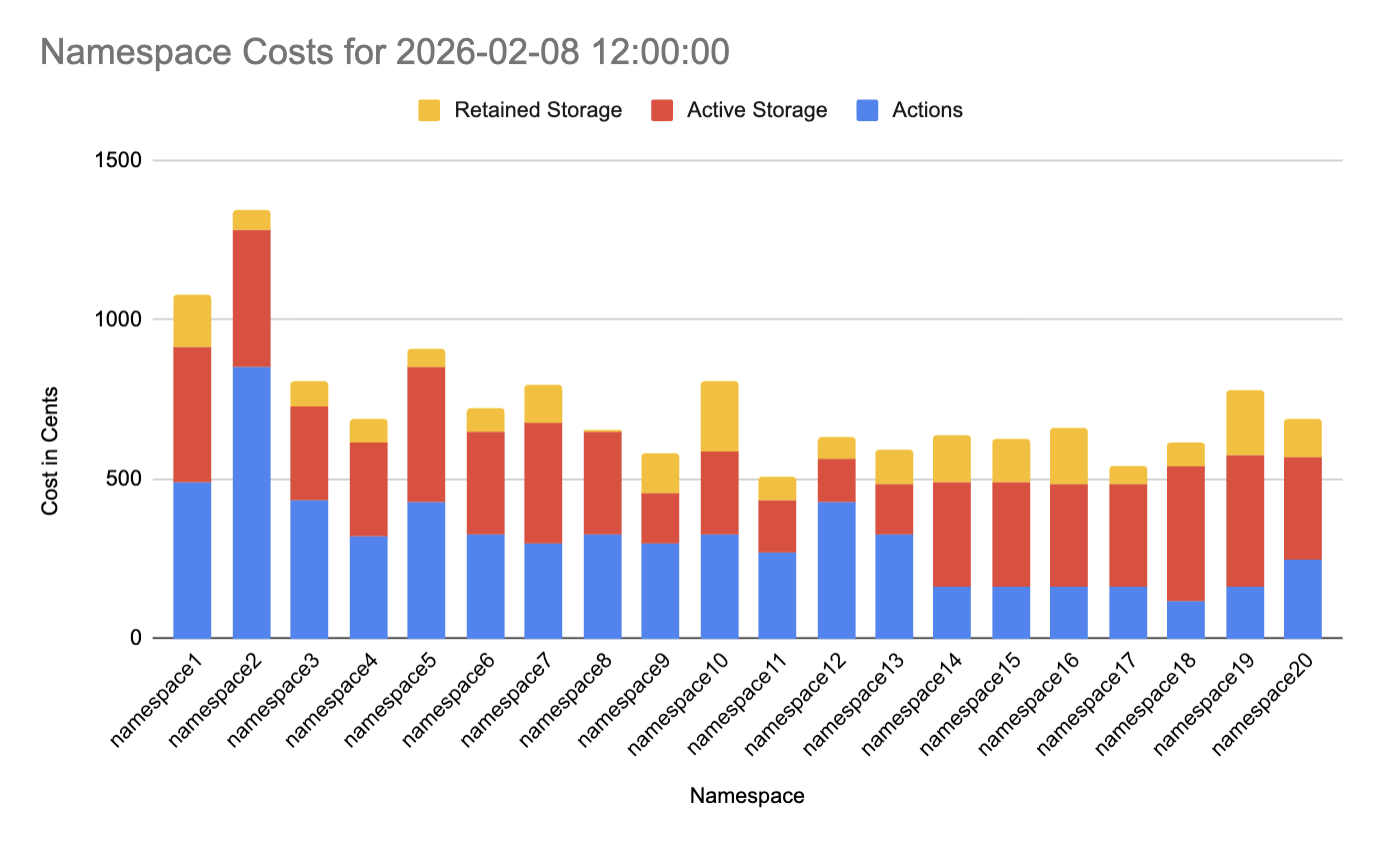
Sort Action and Storage cost for all Namespaces for any hour of the current and previous billing period.
-
Correlate real-world business events with spend.
-
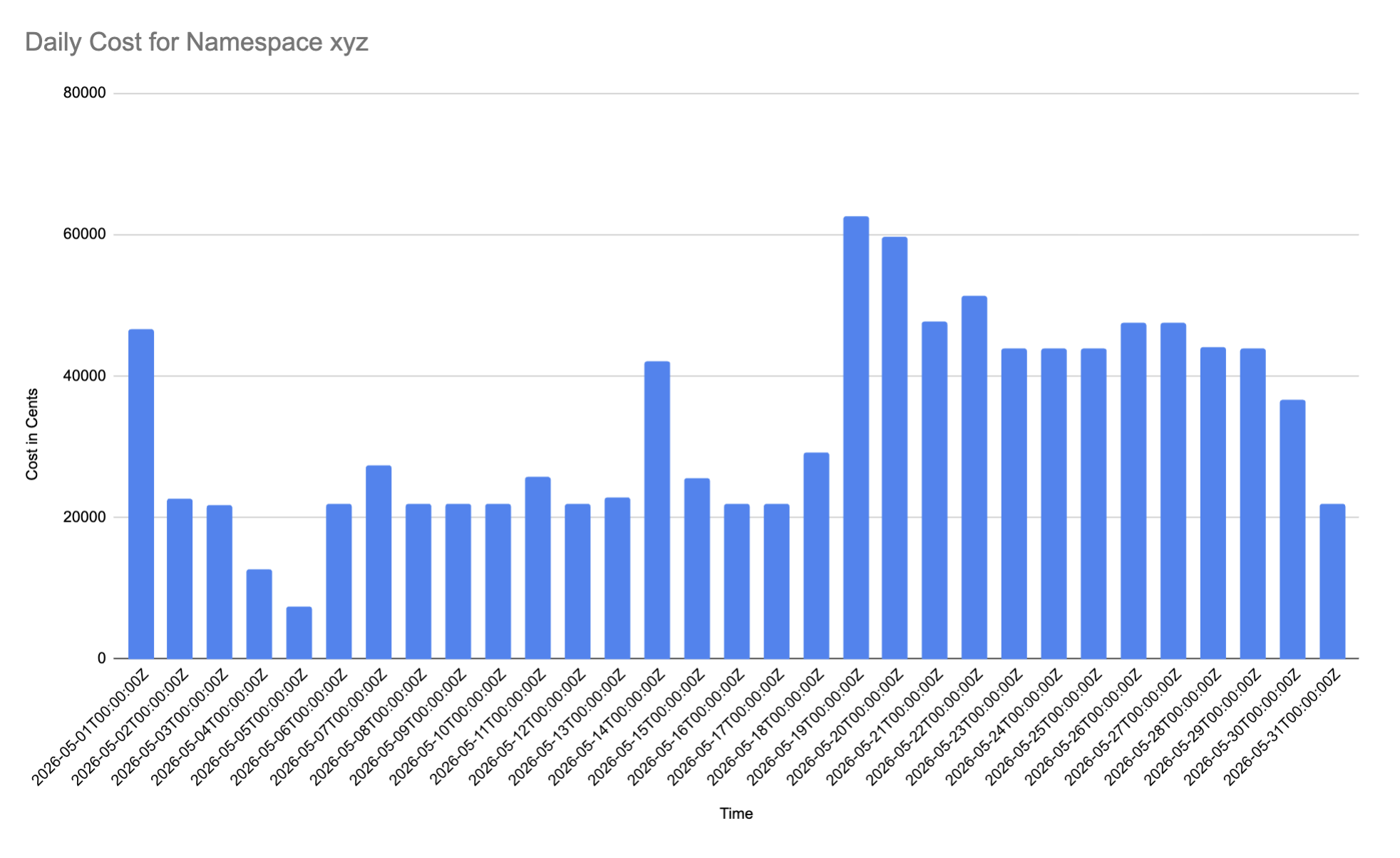
Break down total daily spend per Namespace for the current and previous two billing periods.
-
Track weekly or daily patterns to assess the impact of campaigns, conferences, or other activities that drive your Workflows.
-
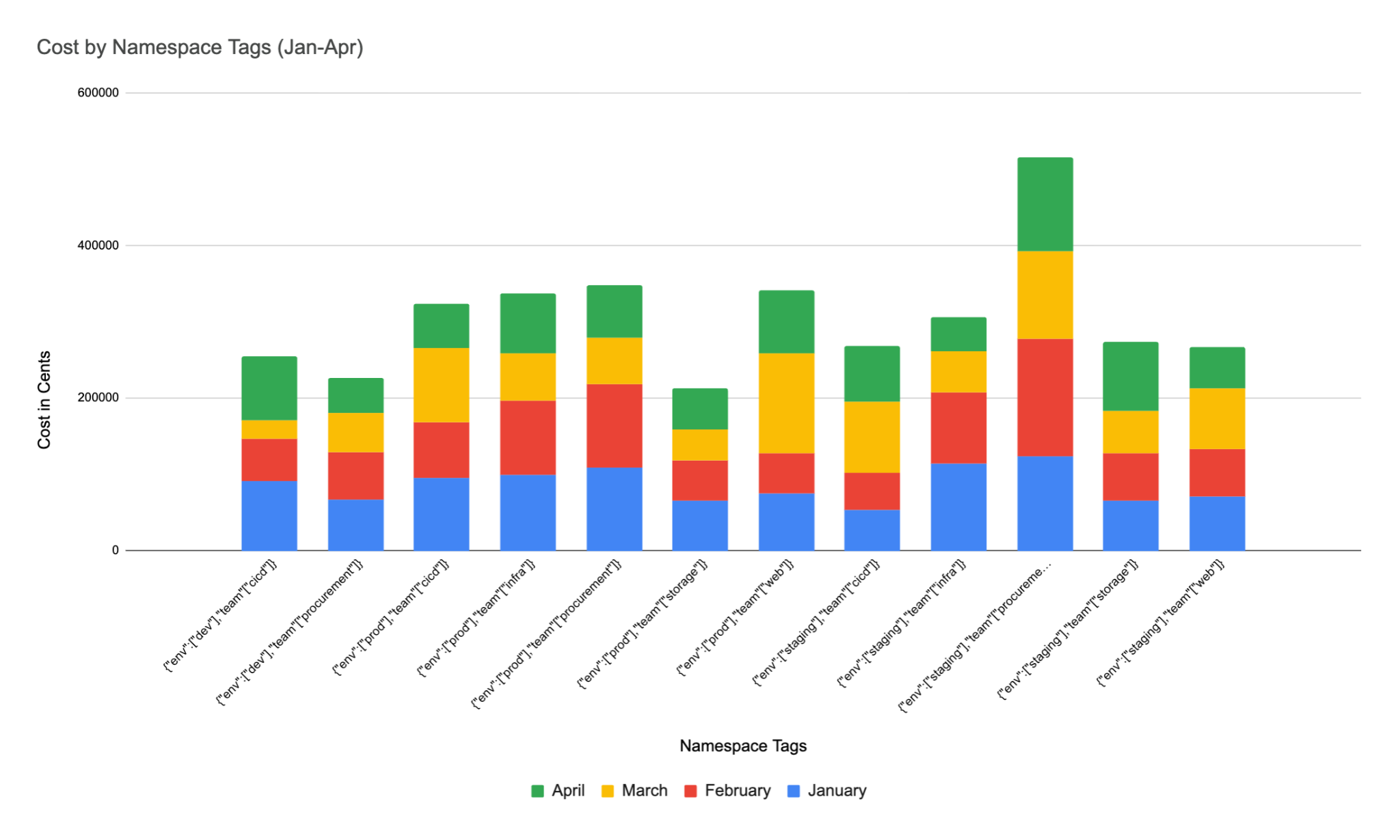
Sort by user-defined Namespace Tags and attributed costs, which are read in real time.
-
Give FinOps partners the data they need to balance budgets without manual calculations.
-
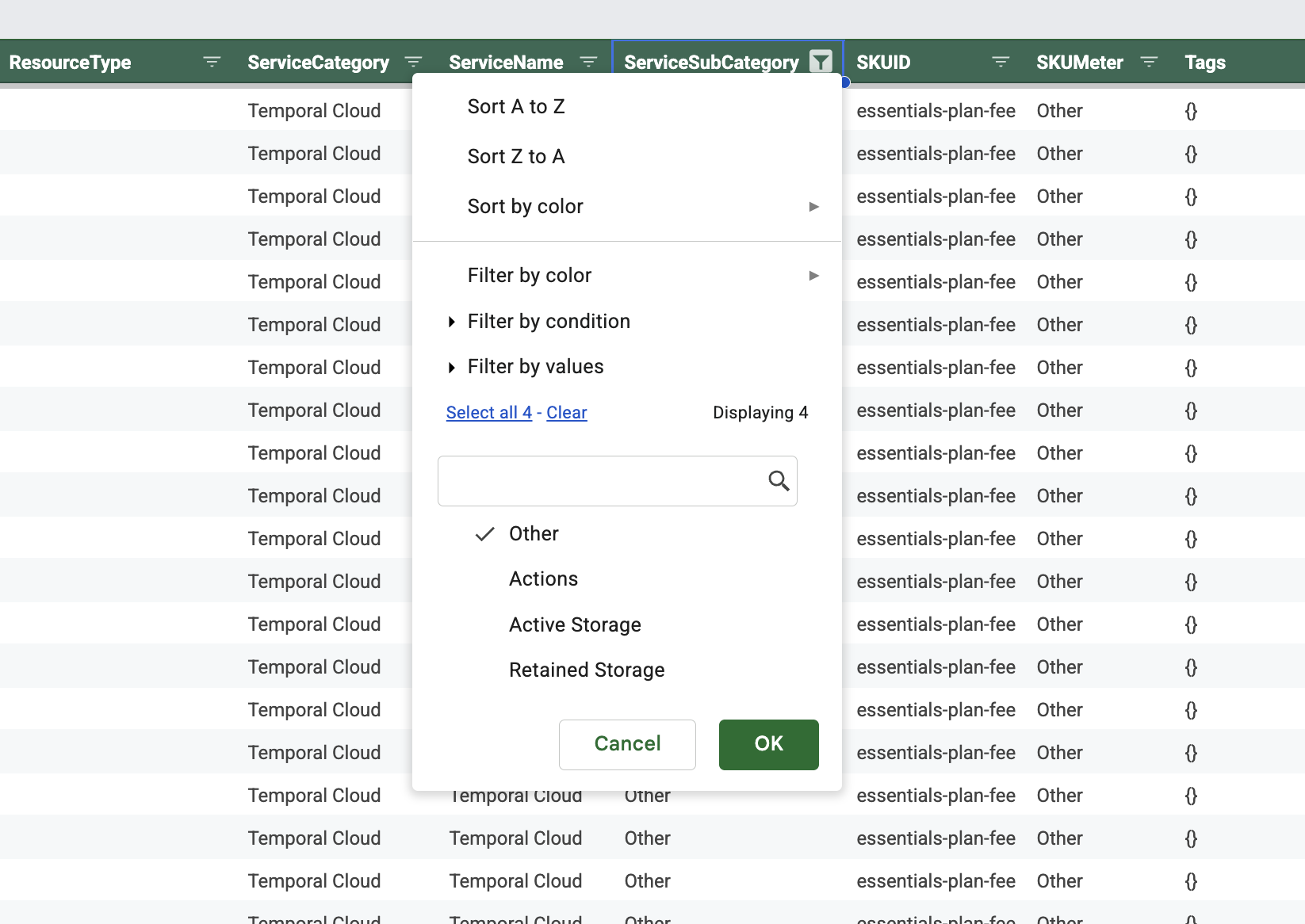
Track support fees and other add-ons such as SCIM.
-
See all the components of your bill in one report.
Real-time Tags fulfill a long-standing customer request: the ability to group and associate Namespaces for billing purposes. Namespace Tags are read in real time in the Billing API, which lets you adjust historical attributions. For example, if a Namespace generated usage last month with no associated Tag, you can add the Tag later and have historical costs attributed. This solves the problem of missing Tags affecting cost attribution after the fact.
Under the hood: how the Billing API is powered by Temporal#
Each report generation request is mapped to a Temporal Workflow. That lets us inherit the benefits of Workflows and store billing report state in the Workflow itself. When a client sends a GET request asking for report status, we use a Workflow Query Handler to query the billing report Workflow and return stored state information to the caller. It is a simple pattern, and it is a strong fit for long-running, durable resource generation.
When we designed this Workflow, we also needed to handle global limits for our backend data sources. The Cloud Billing API uses data sources with low rate limits, so we needed to control concurrency and fairness at the global level. We implemented two systems: one that queues billing report generation requests for accounts, and one that rate-limits work globally.
Both systems primarily use Workflows, Workflow IDs, Workflow ID Reuse Policies, and Signals to control which requests are processed, whose requests they are, and how they are queued.
For the account-level queue, each account has access to a single long-running Workflow, with the account ID prefixed onto the Workflow ID. If the account makes its first request, the long-running Workflow is started and sent a Signal telling it what type of request to process. If a request is made after the long-running Workflow has already started, we detect the running Workflow by Workflow ID and send it another Signal. The long-running Workflow then starts Child Workflows for each received Signal in sequence. Those Child Workflows process the requests and send response Signals back to the requesting client.
Simply put: we use Signals to queue requests, a single long-running Workflow to manage them, and Child Workflows to process them.
The global rate-limiting system uses the same method, except it allows concurrent processing and does not prefix Workflow IDs with an account ID. That means all Signals go to the same long-running Workflow. The long-running Workflow checks how many Child Workflows it has open and starts a new one only when the number is below the concurrency limit.
For users of the Cloud Billing API, this means billing report generation remains fair and distributed across the system, even when the underlying data sources have heavy rate limits.
Getting started with the Billing API#
To get started with the Cloud Billing API and uncover your cost and usage data:
- Read the Cloud Ops API docs to get started.
- Explore the Billing API for Namespace-level cost reporting.
- Reach out to our team to learn more or get help with your setup.